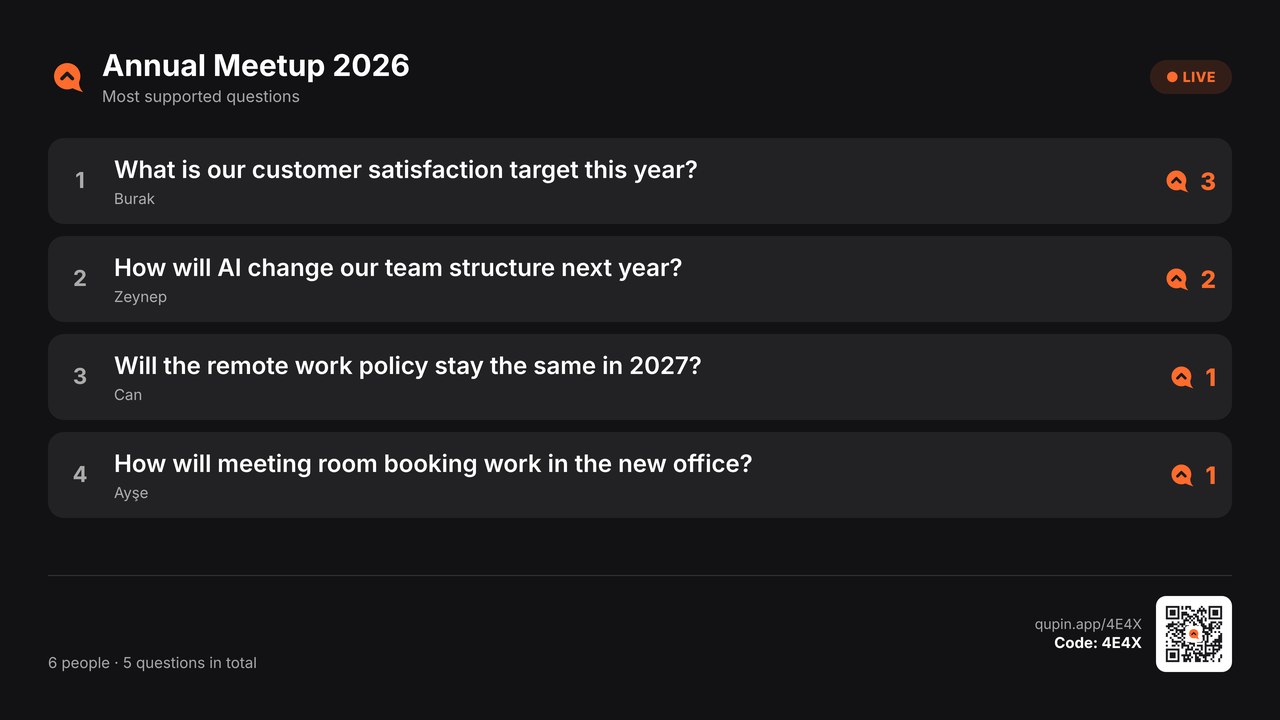
Every question in the room reaches the stage

Attendees scan the QR code, ask questions without downloading an app and upvote the ones they like. You put the most supported ones on the room's screen with one tap.

Create a free event
Free for up to 50 people. No credit card needed.
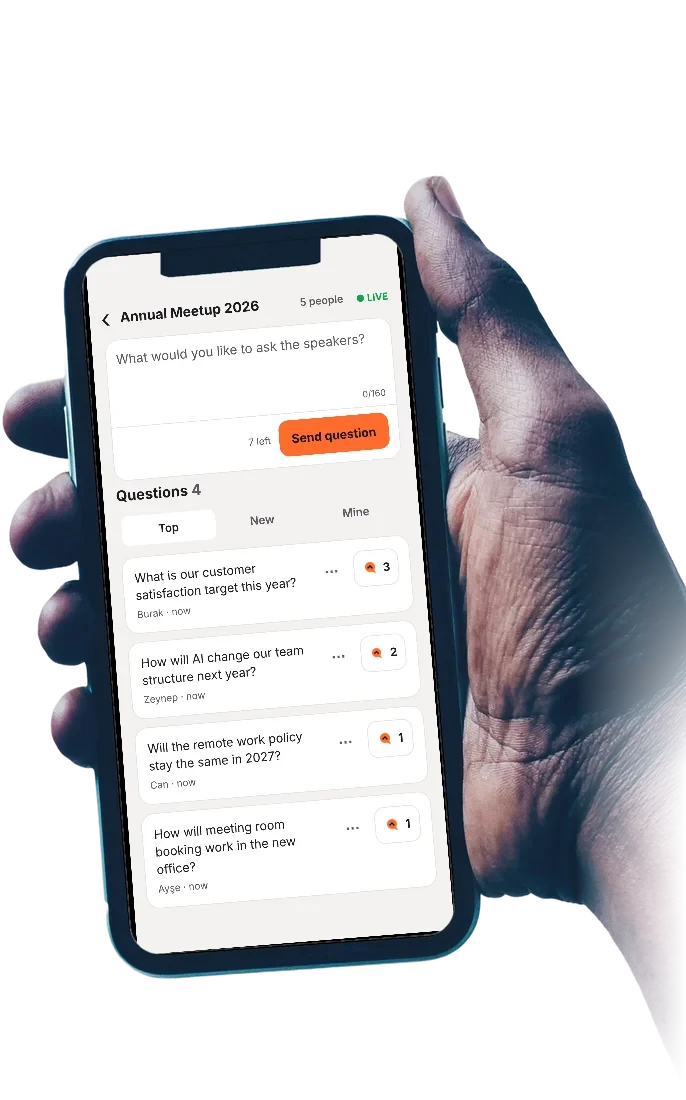
Join by QRScan and you are in. No sign-up, password or account.
No app neededAttendees join from their browser.
You see it firstIf you like, every question waits for your approval.
Start for freeEvery event is free for up to 50 people.

On stage in four steps

No setup, no training. The room is ready the moment you create the event.

Step 1

Create the event

Type its name and Qup gives you a four-letter code and a QR code.

Step 2

Show the code

The room scans the QR code or types the code. No account needed.

Step 3

Questions come in

Everyone asks and upvotes what they like. With approval on, nothing shows until you publish it.

Step 4

Put it on stage

The question you pick fills the screen in the room and the speaker answers.

Questions, upvotes and polls on the big screen

The stage screen fits any projector or TV, with the QR code in the corner. Latecomers see the code and join too.

Run it with your team

Send an invite link and choose the role. When you change a role, it shows on your teammate's screen right away.

  • Moderators approve questions, put them on stage and mark them answered.
  • Managers can also create and close events, prepare polls and download results.
  • You manage your brand and your team, and always see who can do what.
Build your team

From a small meeting to a big hall

Free

Team meetings, classes, meetups
  • Up to 50 people
  • 1 poll per event
  • Questions up to 160 characters
  • Stage screen and QR code
Free

Pro

Conferences, launches, company events
  • Up to 500 people
  • Unlimited polls
  • Questions up to 300 characters
  • Your own logo and colour
  • Team of 3
Pricing soon

Enterprise

Large halls, multi-session events
  • Up to 2,000 people
  • Everything in Pro
  • Unlimited team
Contact us

Got a question?

If it is not here, write to us and we will answer.

Do attendees need to download an app?

No. Scanning the QR code or typing the code is enough; Qup opens in the browser. Anyone who wants the app can download it.

Can inappropriate questions reach the screen?

No. With approval on, every question goes to the moderator first; nobody sees it until you publish it.

How long is our data kept?

Without a paid plan, an event's questions, names and votes are deleted automatically 90 days after the event closes. With a paid plan they are kept as long as the plan lasts.

Can I download the questions afterwards?

Yes. The event owner and Managers can download all questions as a spreadsheet.